
Getting started
Your first request
Describe your game, choose an art direction, move forward one thing at a time.
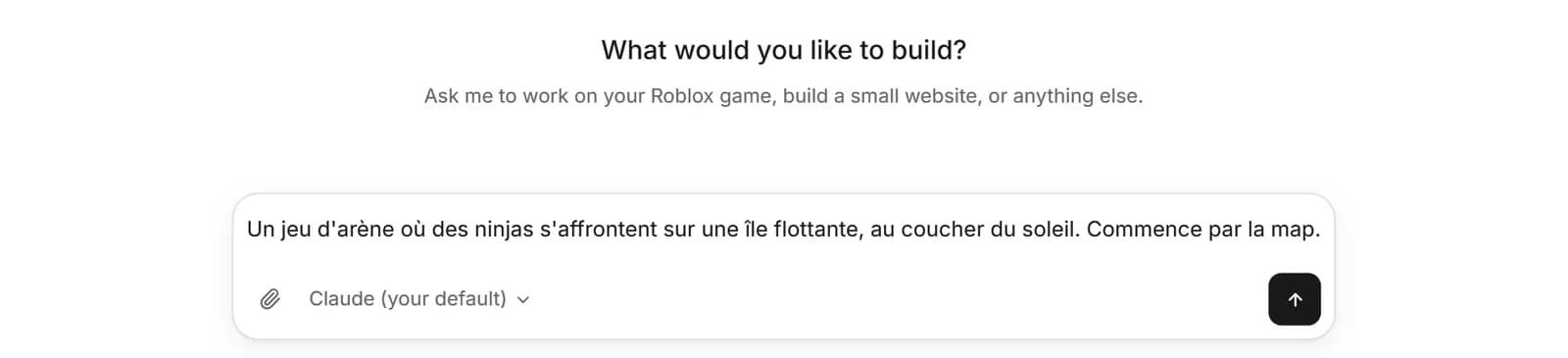
- Describe your game in the chat, in your own words: the genre, the mood, what the player does. Reference images or videos help a lot.
- Choose an art direction. For a new game, Studshine asks you three to five questions, then offers three truly different directions, with their mood boards. The one you choose becomes the game's style bible: colours, materials, lighting, interface.
- Move forward one thing at a time: the map, then an attack, then the interface. For each creation, Studshine makes several attempts, shows them to you and keeps the one you pick.
- Look at the result in Studio. Models and effects come in as previews, without uploading anything.
Good to know
- Before each task, Studshine backs up your game: you can go back.
- Nothing goes to your Roblox account without your yes: what gets uploaded, and when.
- In the app: Chats to talk to the AI, Assets for the asset bank, Skills for what the AI can do, Settings for the settings.
In the same category
- Install Studshine on WindowsWhat you need, then the install in a few minutes.
- Install Studshine on MacFor a Mac with Apple silicon: the install, opening it the first time, and Git.
- Activate your licencePaste your key into Studshine, the first time or on a new PC.
- The setupYour game's folder, Claude and the tools: the « Set up this computer » screen.
- Connect Roblox StudioTurn on Studio's MCP server so the AI can see your place and build in it.